This article walks through creating your first click heatmap on the free plan.
Requirements #
- Opti-Behavior active and tracking verified.
- A published page receiving visitors.
Steps #
- Go to WP Admin ? Opti-Behavior ? Heatmaps.
- Add the page URL you want to track, or select it from the tracked pages list.
- Let real visitors interact with the page so clicks accumulate.
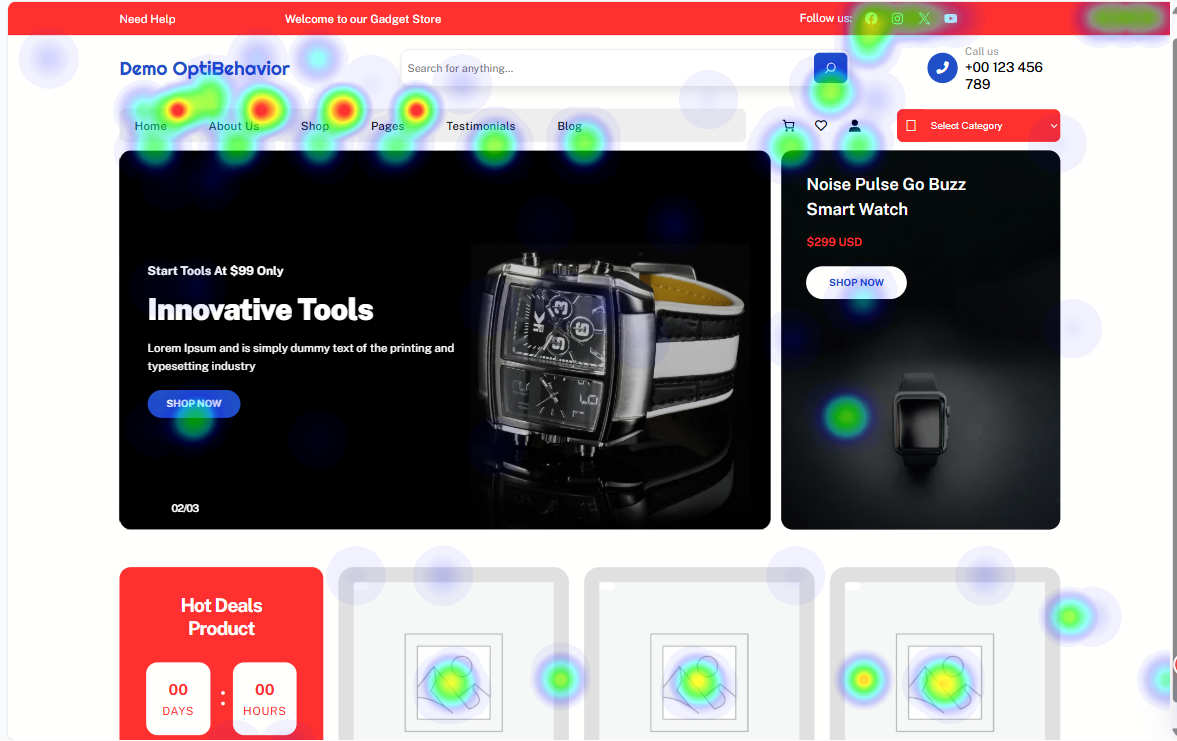
- Open the page from the Heatmaps list to view the click overlay.
Expected result #
After clicks accumulate, opening the page shows colored zones marking where visitors clicked.
Troubleshooting #
- No data – the page needs real visits; verify tracking is firing.
FAQ #
How long until a heatmap fills in? #
It depends on traffic; more visits produce clearer patterns.