Table of Contents
Heatmap capture is tuned in the settings. This article documents each option.
Where to find it #
Go to WP Admin ? Opti-Behavior ? Settings ? Heatmap Settings.
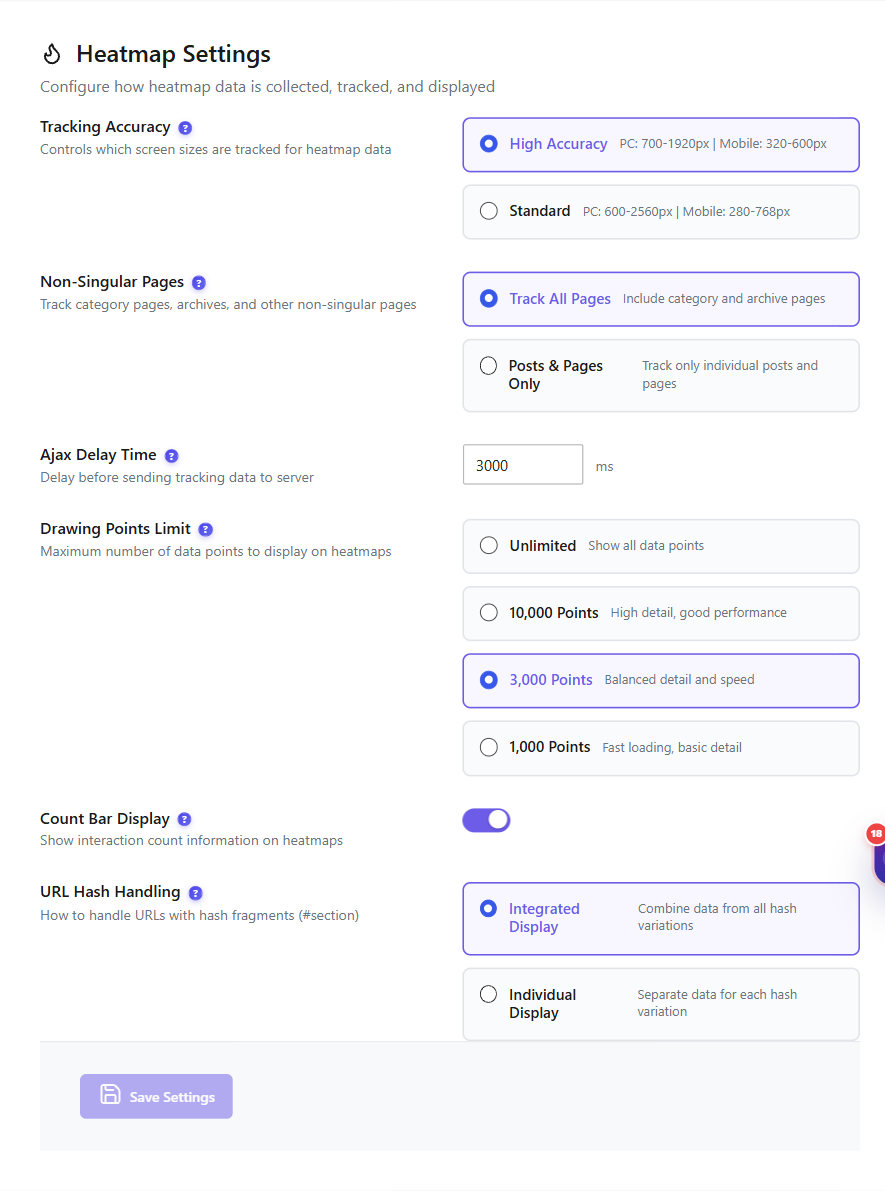
Options #
| Setting | What it does |
|---|---|
| Tracking Accuracy | How precisely interactions are recorded; higher accuracy captures finer detail. |
| Non-Singular / Archive Pages | Whether heatmaps track archive and listing pages, not only single posts/pages. |
| Ajax Delay | Delay before capture data is sent, to batch requests. |
| Drawing Points | Density of points used to render the overlay. |
| Count Bar | Shows the click-count bar on the overlay. |
| URL Hash handling | Whether URL fragments (#hash) are treated as separate pages. |
Expected result #
After saving, new captures follow the adjusted settings.
FAQ #
Should I raise tracking accuracy? #
Higher accuracy gives more detail but records more data; balance against storage.