
Table of Contents
The Frontend Stats Bar puts the key numbers of the page you are viewing in a slim bar at the top of your site. Only administrators see it; visitors never do. Stats load asynchronously, so it does not slow the page.
Enable and style it #
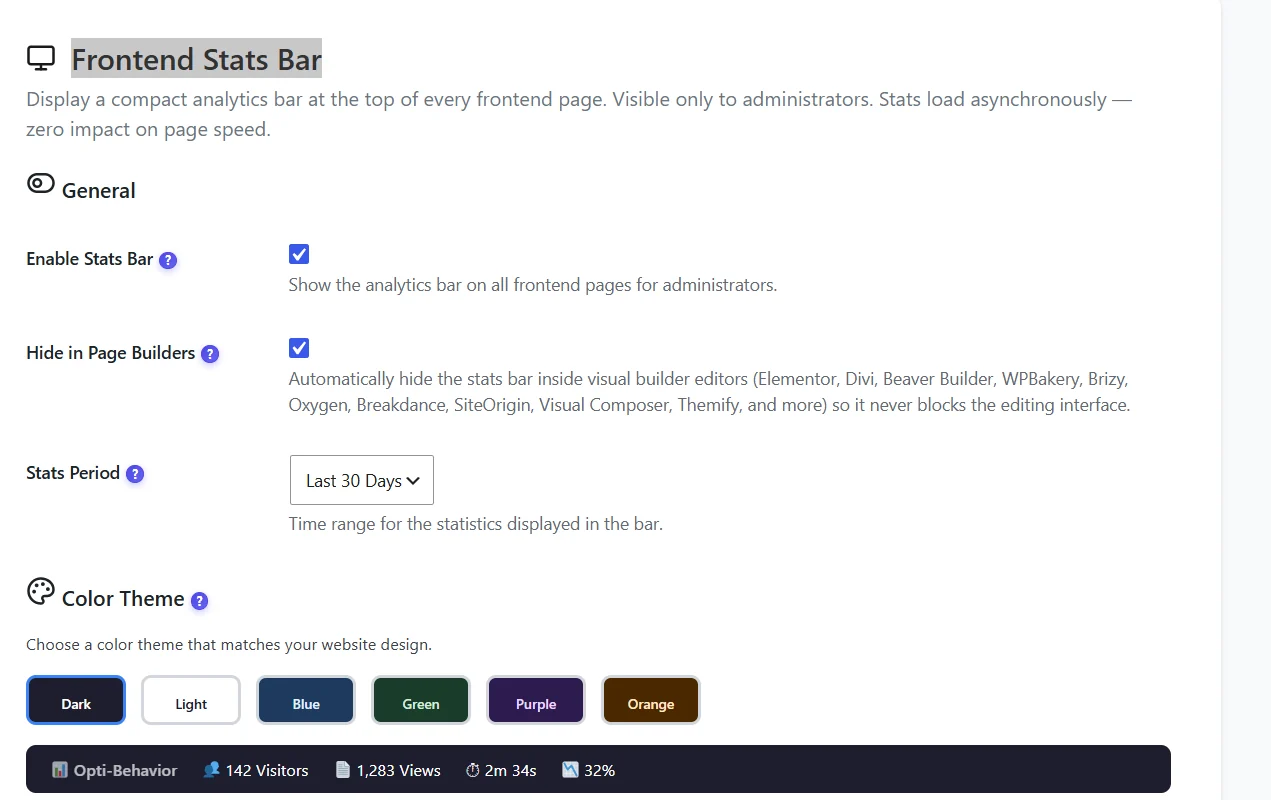
- Enable Stats Bar – show the bar on all front-end pages for administrators.
- Hide in Page Builders – hides it inside Elementor, Divi, Beaver Builder, WPBakery, Brizy, Oxygen, Breakdance, SiteOrigin, Visual Composer and Themify.
- Stats Period – for example the last 30 days.
- Color Theme – Dark, Light, Blue, Green, Purple or Orange, with a live preview.
Choose the numbers #
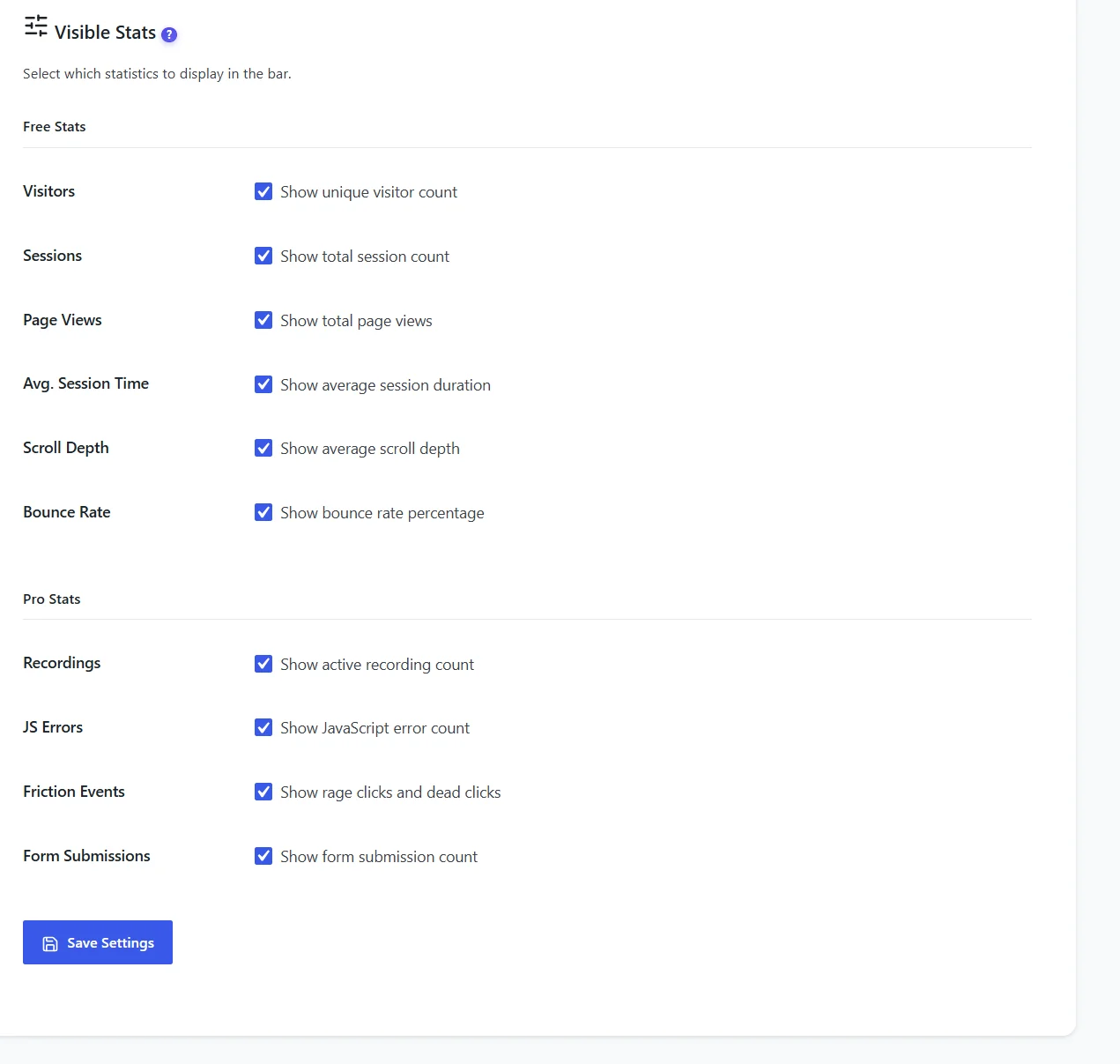
| Free | Pro |
|---|---|
| Unique visitors, sessions, page views | Active recordings |
| Average session time | JavaScript errors |
| Average scroll depth | Friction events (rage and dead clicks) |
| Bounce rate | Form submissions |
Reading it #
- Open a page while logged in: the bar shows that page’s numbers for the chosen period.
- A period selector in the bar lets you switch quickly; icons link to the page’s heatmap and recordings.
- Use it as a quick health check when you publish or edit content.
Expected result #
Logged in as admin, you see the bar on your pages; in a private window it is absent.
FAQ #
Can editors see it? #
No, only users who can manage Opti-Behavior.
The bar shows zero on a new page. #
Stats appear after the first tracked visits.
Does it affect cache? #
No. The bar is added for logged-in admins only, who usually bypass the page cache.


