
Table of Contents
Opti-Behavior’s admin screens are translated into six languages. By default they follow WordPress, but you can choose another language for Opti-Behavior only.
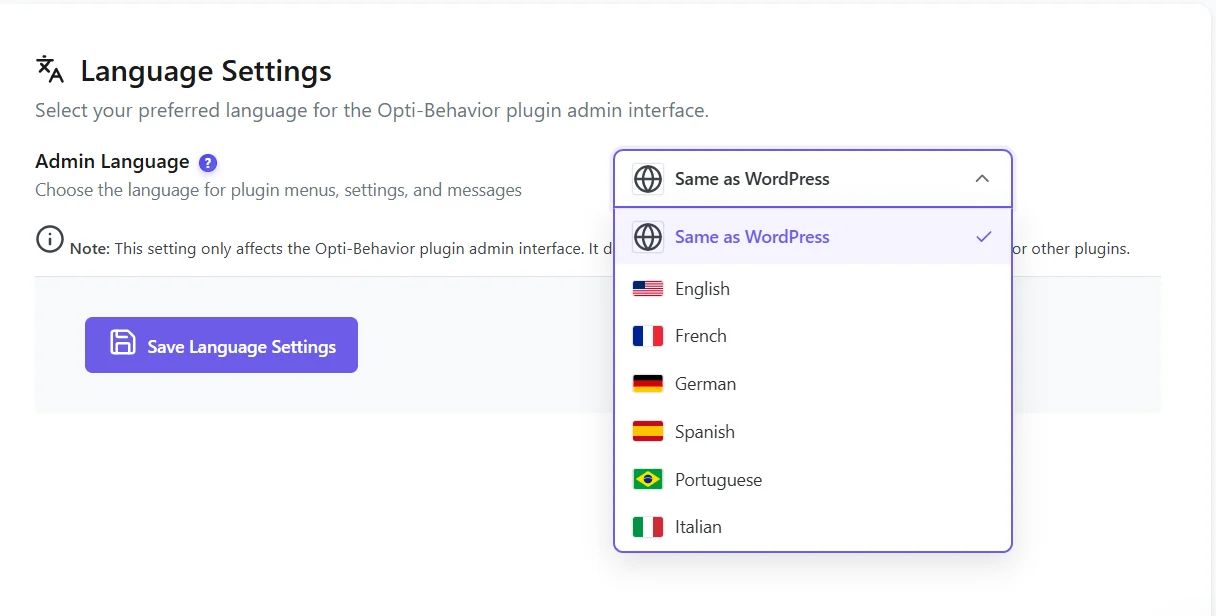
Steps #
- Go to Settings → Language.
- Choose Same as WordPress or a language.
- Save: the Opti-Behavior pages reload in that language.
What changes #
- All Opti-Behavior admin pages, including Smart Insights and Forms, and their messages.
- Numbers and dates keep your site’s format.
- The rest of WordPress keeps its own language.
- The consent banner and front-end texts follow the visitor’s site language, not this setting.
Translations included #
| Language | Code |
|---|---|
| English | en_US |
| French | fr_FR |
| German | de_DE |
| Spanish | es_ES |
| Italian | it_IT |
| Portuguese (Brazil) | pt_BR |
Every new version is translated in these languages. If a text appears in English, update both plugins to the latest version.
More questions #
Does the language apply to emailed reports? #
Reports follow the site language settings.
Expected result #
Opti-Behavior menus, pages and messages appear in the chosen language.
FAQ #
My language is missing. #
Six languages are included. Other languages can be added with a translation plugin such as Loco Translate.
The setting has no effect. #
Since 1.8.2 it works with WordPress 6.7+. Clear your browser cache and reload.


