
Heatmap data rarely needs manual cleaning: Opti-Behavior expires old files automatically. You will mostly delete heatmap data for one reason – the page changed and old clicks no longer match the new layout.
Option 1 – Reset one page (recommended after a redesign) #
- Open the page in Opti-Behavior → Heatmaps.
- Click Delete Heatmap Data in the toolbar.
- Confirm with Delete Data.
The heatmap data collected for this page is deleted and new heatmap stats start from now. Session recordings and analytics records are kept, so visits, pageviews and funnels are not affected.
Option 2 – Let retention do it #
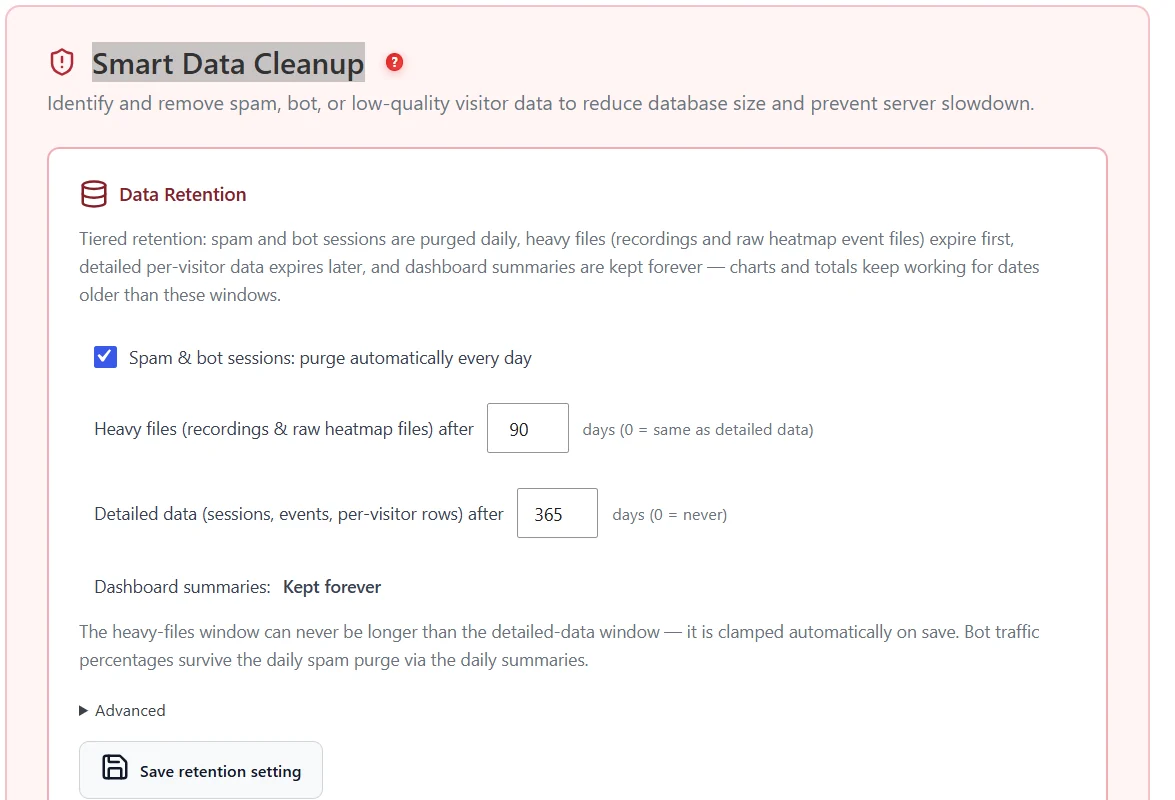
| Data | Default | Where |
|---|---|---|
| Heavy files (recordings and raw heatmap files) | 90 days | Settings → Smart Data Cleanup → Data Retention |
| Detailed data (sessions, events, per-visitor rows) | 365 days | Same card |
| Dashboard summaries | Kept forever | Same card |
Retention runs automatically every day. See Storage overview to watch the result.
Option 3 – Archive-page heatmaps #
Category, tag, author, date, search and paginated pages are not recorded by default. Heatmaps created on them before version 1.9.1 are archived by the Archive-page heatmap cleanup (Settings → Heatmap Settings), except pages with 100 or more sessions. Archived data can be restored for 30 days, then it is deleted.
Option 4 – Delete all heatmap data #
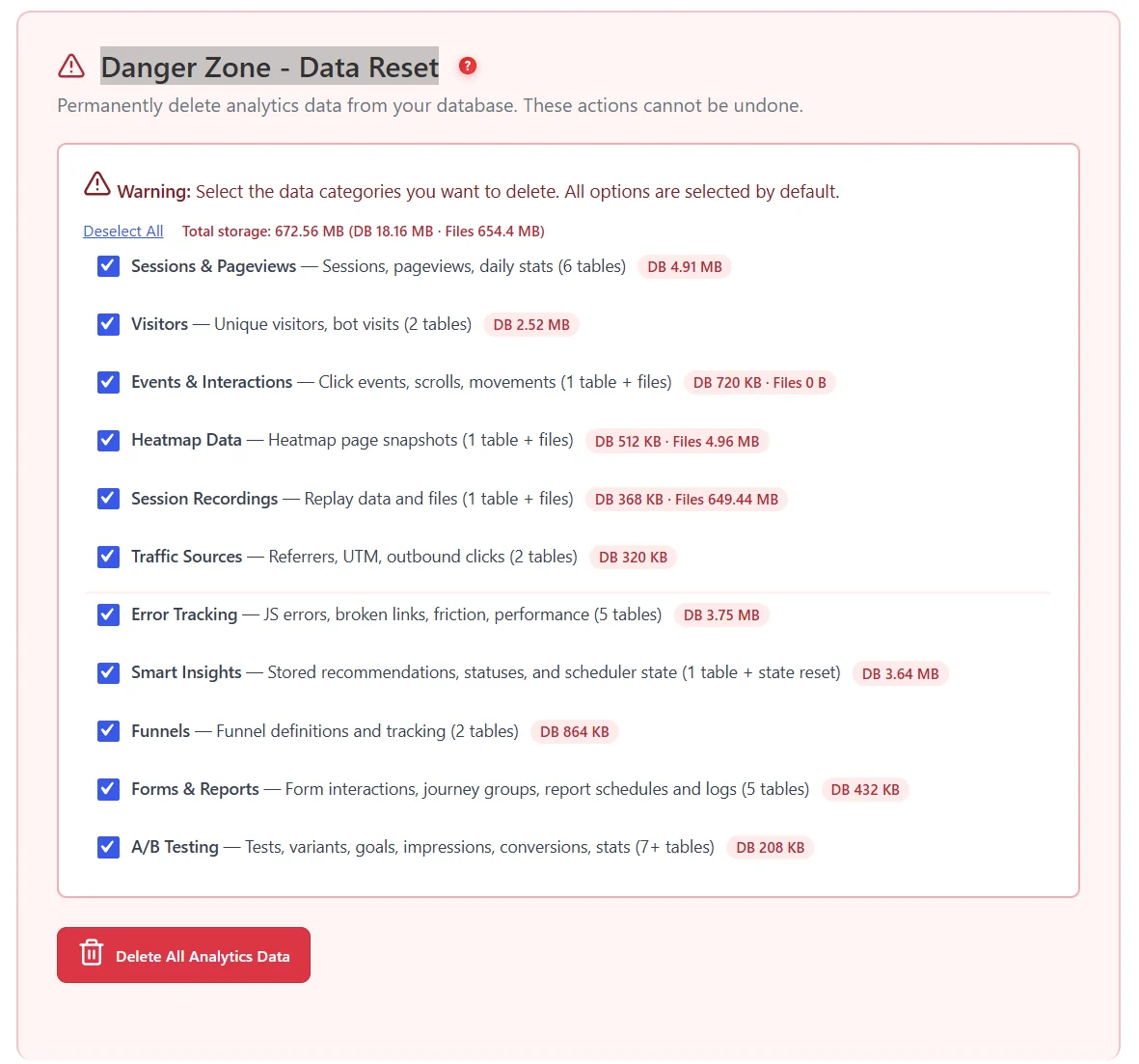
In Settings → Danger Zone, tick Heatmap Data only and confirm. Since 1.9.2 this also deletes archived heatmaps, and the reset is recorded in Cleanup History. This cannot be undone.
Expected result #
After a page reset the heatmap is empty and fills again with new visits; the page stays in the list with its visit history.
FAQ #
Can deletion be undone? #
No, except for archived archive-page heatmaps within 30 days. Export or download what you need first.
Does deleting heatmap data delete recordings? #
No. The page reset keeps recordings. Use the Recordings category of the Danger Zone to delete recordings.
Will deleting heatmaps free database space? #
Some. Heatmaps are mostly files on disk; the Storage overview shows both.


