
Table of Contents
Work through these checks in order. Most problems come from the first three.
1. Is tracking receiving visits? #
- Open Opti-Behavior → How it works: the Setup check card tells you whether visits are received, whether a caching or optimisation plugin blocks a tracker, and whether your own visits are counted – with a button to fix each item.
- Visit the page in a private window and check the Frontend Stats Bar or the Traffic page for your visit.
- Your admin visits may be excluded (Settings → Traffic & Behavior → Admin Tracking).
2. Is a cache or optimiser getting in the way? #
- Clear the page cache (LiteSpeed, WP Rocket, W3 Total Cache, Cloudflare…) once after installing or updating.
- If you delay or combine JavaScript, exclude the Opti-Behavior trackers. See Cache plugin compatibility.
3. Is the page one that gets a heatmap? #
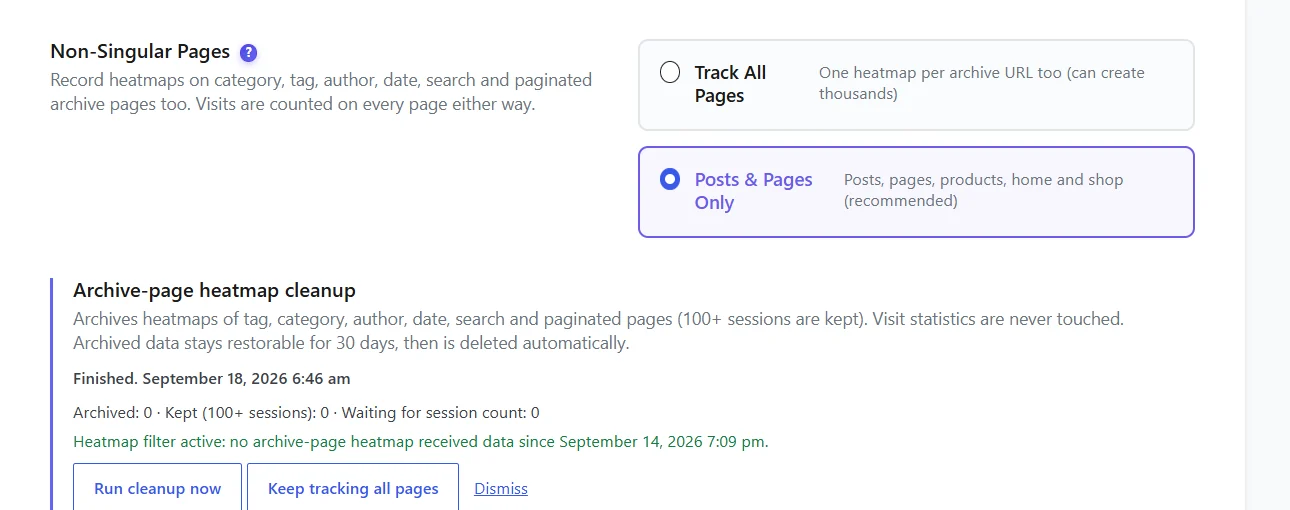
Posts, pages, products, the home page and the shop page are recorded. Category, tag, author, date, search and paginated pages are not, unless Non-Singular Pages is set to Track All Pages.
4. Are you looking at the right view? #
- Period – a new page has nothing in “Last 7 days” if visits are older. Try All time.
- Device – the mobile view is empty if nobody visited on a phone.
- Filters – the Filters badge shows active filters; click Reset.
- Type – Move, Attention and Scroll need Pro.
5. Clicks look misplaced #
- The page changed since the clicks were recorded: keep Strict Matching on, or reset the page’s heatmap after a redesign (Deleting heatmap data).
- Clicks inside menus, tabs or popups: turn on Interactive Preview and open them.
- Wrong device: a mobile click shown on the desktop layout lands in the wrong place. Pick the device.
6. The preview is blank #
- A security plugin or header (
X-Frame-Options,Content-Security-Policyframe-ancestors) may block showing your own page in a frame. Allow your own domain. - Pages behind a login or a maintenance mode cannot be previewed.
- Very heavy pages can take a few seconds: wait for “Measuring preview” to finish.
Expected result #
Once visits arrive and the view matches them, the heatmap draws on the page within a few seconds.
FAQ #
Visits are counted but the heatmap stays empty. #
The page is probably an archive page, or the visitors did not click. Check the Scroll heatmap (Pro) or the page’s interactions in the list.
Still stuck? #
Turn on debug logging (Settings → Debug & Logging) and contact support with the log.


