
Pro feature. Session recording is part of Opti-Behavior Pro. Start the 6-month free trial to unlock it.
A session recording replays a visit: pages, scrolls, mouse movements, clicks, form interactions (without the typed values) and errors, in order. It shows why a number looks bad.
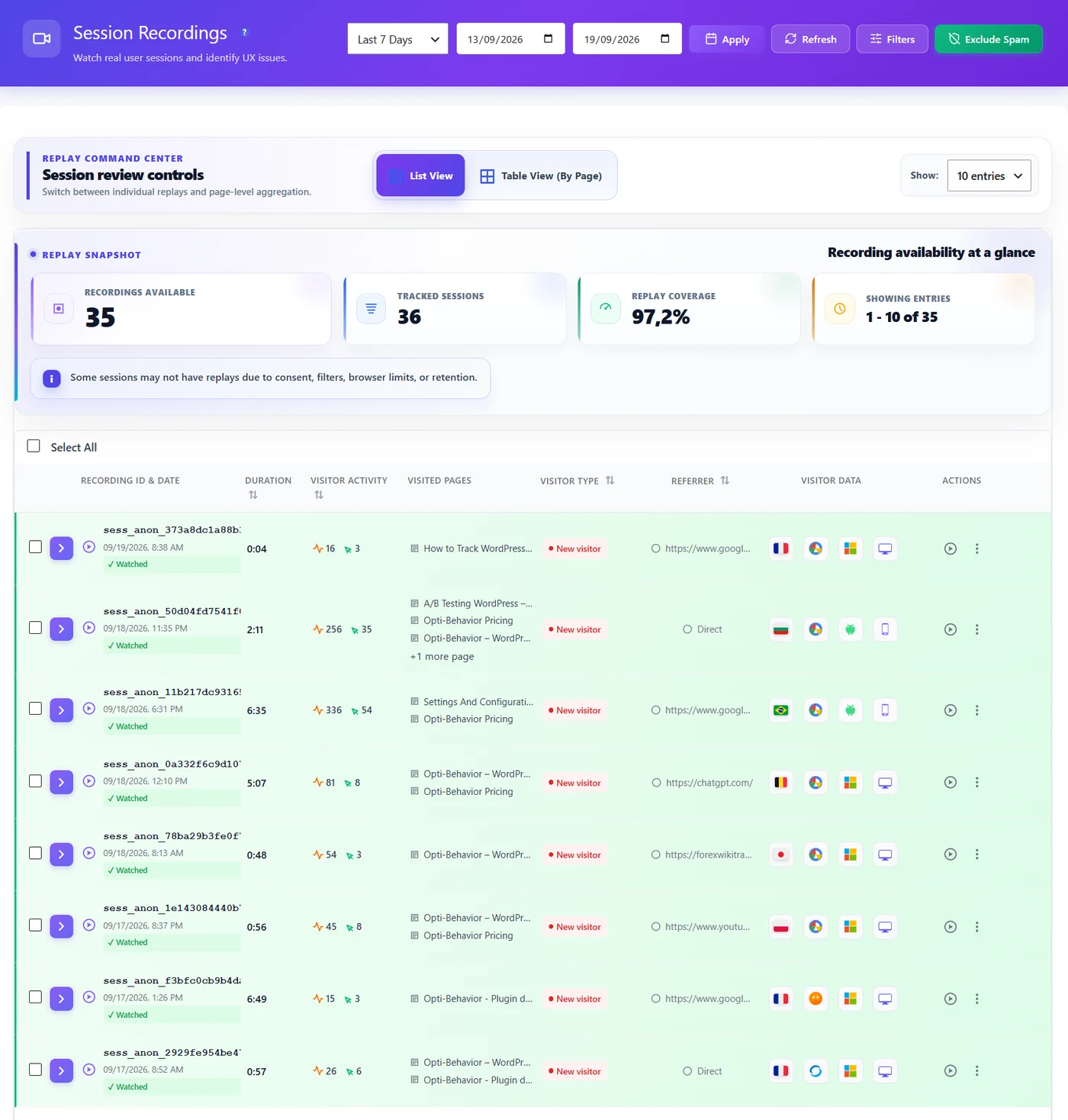
What you see #
- Replay snapshot – recordings available, tracked sessions and replay coverage. Some sessions have no replay (no consent, filters, browser limits, retention) – that is normal.
- List View – one row per visit. Table View (By Page) – recordings grouped by page.
- Each row: ID, date, Watched / Not watched, duration, events and clicks, pages visited, new or returning, referrer, country, browser, OS, device.
Find the recordings worth watching #
- From a funnel step: visitors who did not reach the next step.
- From a Smart Insights card: the affected sessions.
- From a heatmap or Page X-Ray: visits of that page.
- With filters: pages visited, duration, device, source, Not watched.
How to watch efficiently #
- Pick 5–10 recordings of the same problem.
- Use Skip inactive and a faster playback speed.
- Note what repeats: a hesitation, a dead click, an error, a detour.
- Mark them watched so the team does not rewatch them.
Recordings and Smart Insights #
The Session Recording Opportunity card (Pro) tells you when a page has enough friction and traffic to justify watching, and links to the affected sessions – the fastest way to find recordings worth your time.
Expected result #
You can open a visit that shows a problem and describe what the visitor struggled with.
FAQ #
Are all visits recorded? #
Visits with consent (Full Tracking) or in Anonymous Mode are recorded, within your settings and your plan’s quota.
Does recording slow the site? #
No. The recorder starts after the page has loaded (or at the first tap), ships a small record-only build and sends data in batches.


