Opti-Behavior uses Hybrid Storage: structured records live in custom database tables, while high-volume event and recording payloads are written to files under your uploads folder. This reference lists the actual table names and file locations so developers and admins know exactly where data lives. All table names use your site’s table prefix (shown here as wp_).
File storage location #
File-based data is written to a single base directory inside the WordPress uploads folder:
wp-content/uploads/opti-behavior-data/Content is organized by date and hour and compressed to keep the database small. On Multisite, each site writes to its own uploads directory. See how Hybrid Storage works.
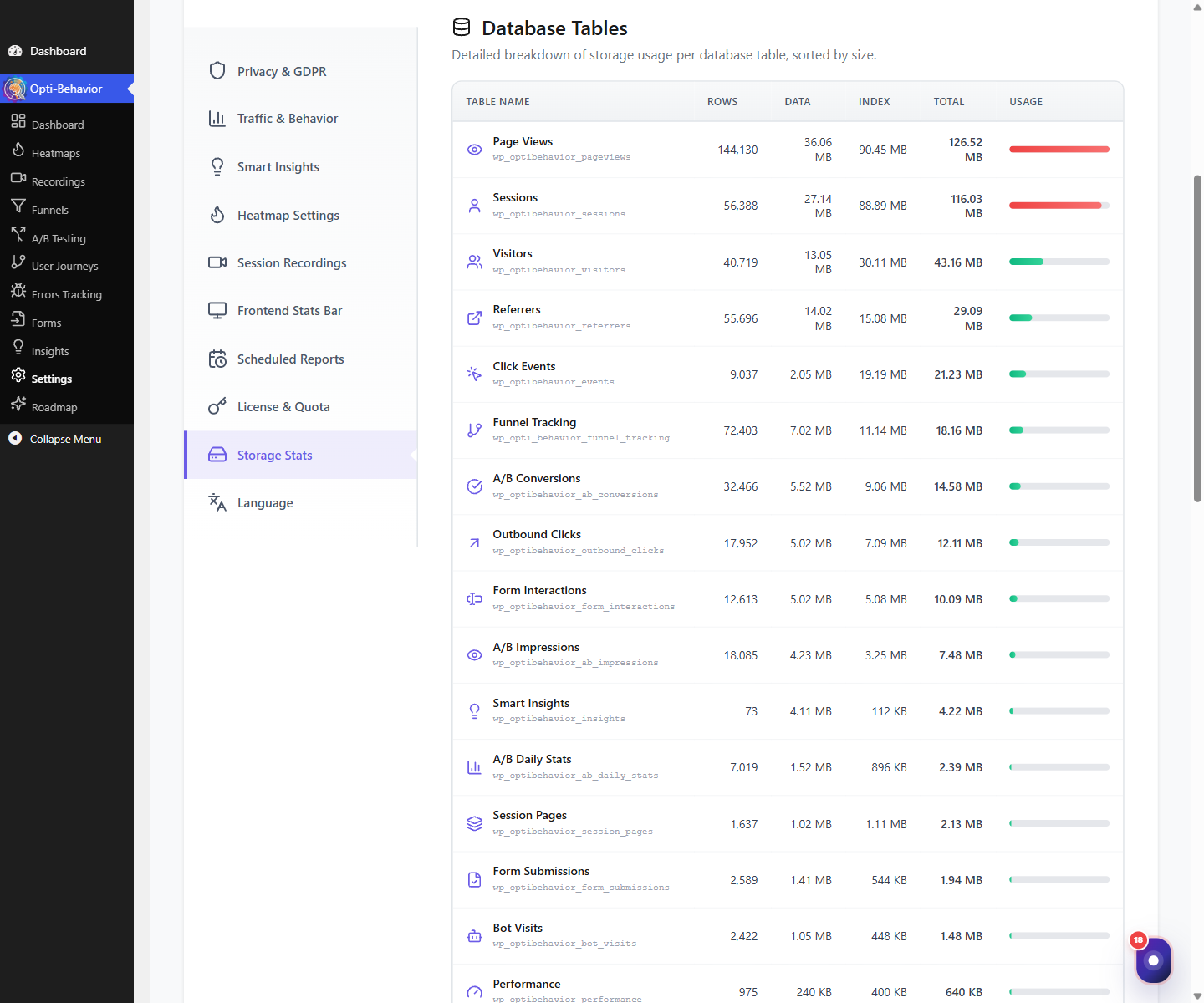
Database tables (Free) #
The free plugin creates these tables (prefix wp_optibehavior_):
events,pages,sessions,session_pages,visitors,pageviewsreferrers,outbound_clicks,bot_visits,heatmap_pages,daily_statsinsights(Smart Insights),report_schedules(scheduled reports),journey_groups- A/B testing:
ab_tests,ab_variants,ab_goals,ab_impressions,ab_conversions,ab_daily_stats,ab_decision_log
Database tables (Pro) #
Opti-Behavior Pro ensures these additional tables (prefix wp_optibehavior_):
- Recordings:
recordings - Errors & Performance:
errors,error_types,friction,performance,broken_links - Form Analytics:
form_interactions,form_submissions - A/B (Pro):
ab_targeting_rules,ab_schedule
Expected result #
You can locate every piece of Opti-Behavior data: structured rows in the optibehavior_ tables and raw event/recording payloads under uploads/opti-behavior-data.
FAQ #
Can I query these tables directly? #
You can read them, but treat the schema as internal; use the plugin UI and exports for supported access. See exporting dashboard data.
How do I remove all of this data? #
Use the Danger Zone or the uninstall option; see uninstalling cleanly.