
Part of your traffic is not human: search engine crawlers, SEO tools, AI fetchers, uptime monitors and spam. Opti-Behavior classifies every session and keeps non-human traffic out of your numbers.
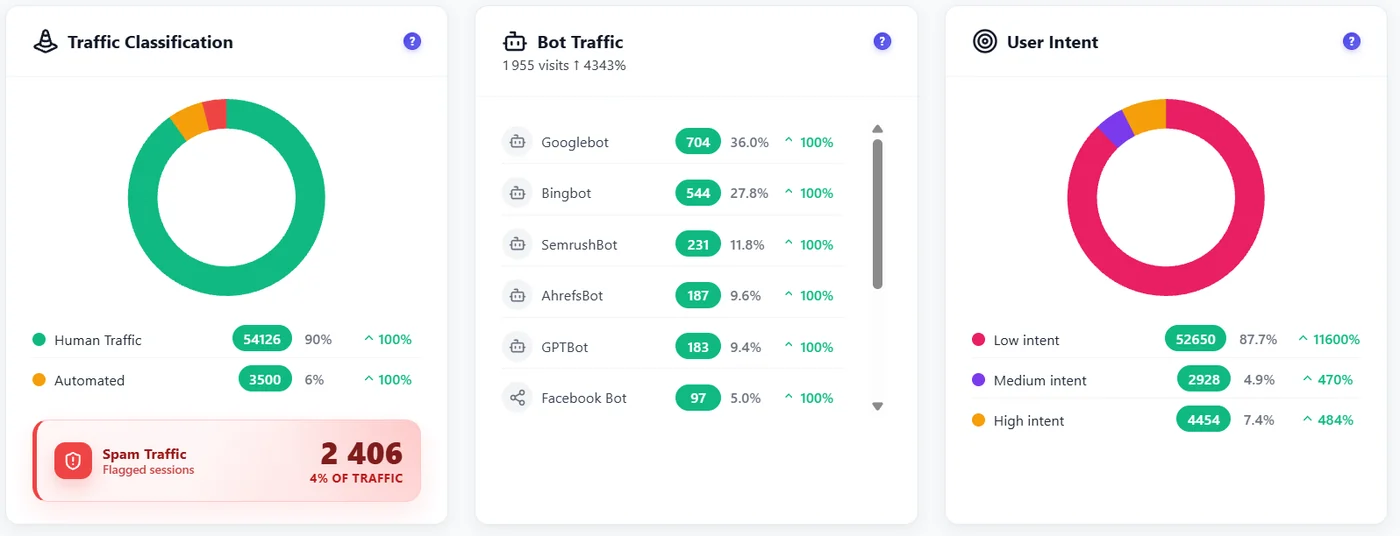
The four classes #
| Class | How it is detected | In your stats? |
|---|---|---|
| Human | Real browser with real engagement | Yes |
| Bot | Known crawlers and tools (Googlebot, Bingbot, SemrushBot, AhrefsBot, GPTBot, Facebook…) and your custom patterns | No – listed in Bot Traffic |
| Automated | Headless browsers and automation tools (Selenium, Puppeteer…) | No |
| Spam | Sessions that fail your engagement thresholds (duration, scrolls, clicks) | No, while Excluding Spam is on |
How spam is decided #
A session counts as human only when it meets all the thresholds set in Settings → Traffic & Behavior → Spam Traffic. Defaults: at least 3 seconds, 0 scrolls, 1 click. Two safety rules protect real visitors: a session with a real click is never flagged “few clicks”, and a session that touched a form never is either. Since 1.9.2, a click on a cookie banner does not count as a click.
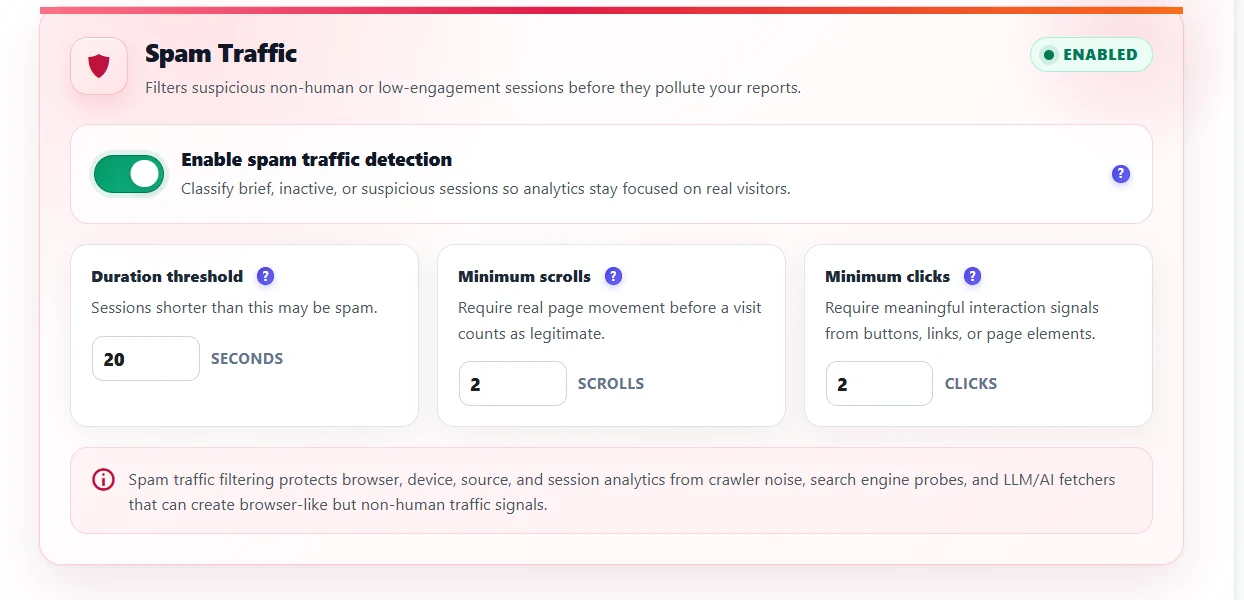
Careful with strict thresholds. Because all thresholds must be met, raising them (for example 20 seconds and 2 scrolls) flags many short but real visits as spam. Start with the defaults.
Tune it #
- Custom bot patterns – add user-agent fragments of tools that hit your site (Settings → Traffic & Behavior → Bot Traffic).
- Excluded IP addresses – your office, your monitoring service (exact IP, CIDR range or wildcard).
- Admin tracking – include or exclude logged-in administrators.
- After saving thresholds, existing sessions are re-classified in the background.
Expected result #
Your dashboard shows only human traffic, and the Traffic Classification widget tells you how much was filtered.
FAQ #
Why is a lot of my traffic flagged as spam? #
Check your thresholds: with high values, short real visits fail. Also check that a cache or optimiser does not delay the tracker, which makes visits look inactive.
Can I see the spam? #
Turn Excluding Spam off at the top of the dashboard.
Is spam deleted? #
Spam and bot sessions are purged automatically every day by the retention rules.


