
Table of Contents
Pro feature. User Journeys is part of Opti-Behavior Pro. Start the 6-month free trial to unlock it.
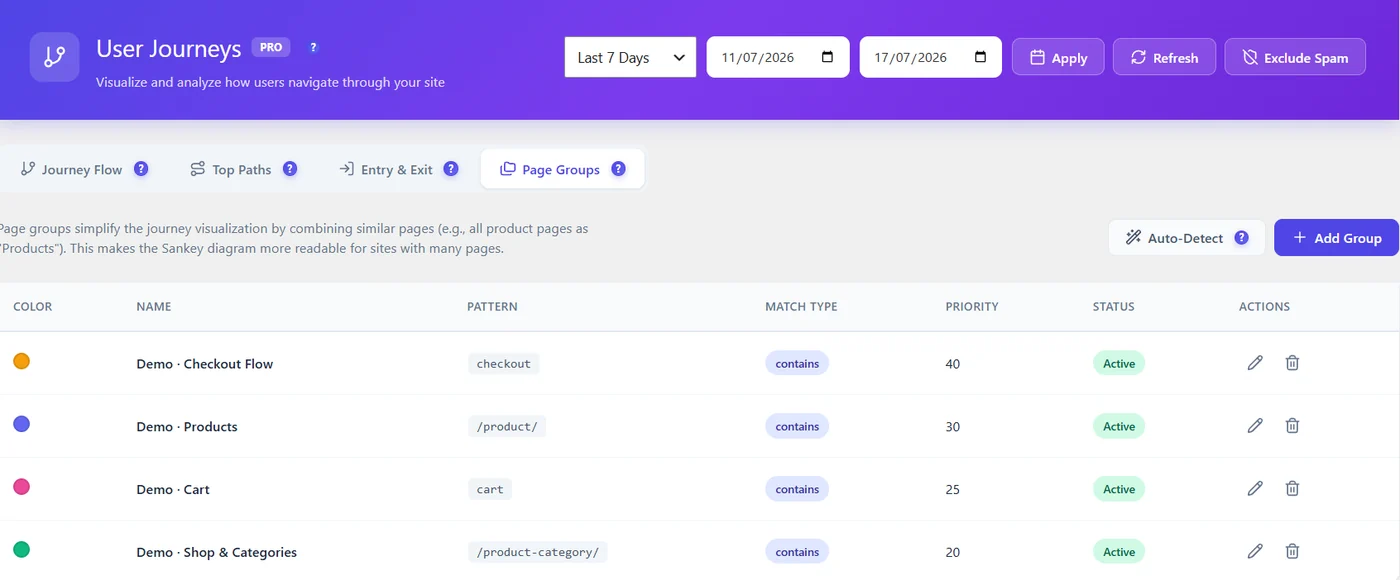
Page groups merge similar pages into one node – for example all product pages as “Products”. Diagrams become readable on sites with many pages.
| Field | Meaning |
|---|---|
| Name, colour | How the group appears in diagrams |
| Pattern + match type | Which URLs belong (for example contains /product/) |
| Priority | Which group wins when a URL matches several |
| Status | Active or not |
Auto-Detect proposes groups from your site structure; Add Group creates one by hand.
Suggested groups #
| Site | Groups (pattern, contains) |
|---|---|
| Shop | Products /product/, Categories /product-category/, Cart cart, Checkout checkout |
| Blog | Articles /blog/, Categories /category/, Newsletter subscribe |
| Services | Services /services/, Case studies /cases/, Contact contact |
Tips #
- Give higher priority to narrow groups (Checkout) than to broad ones (Shop).
- Keep 5 to 10 groups; more makes diagrams busy again.
- Use the same names as your funnel steps to compare them easily.
More questions #
Do groups change my data? #
No, they only change how pages are shown in journey diagrams.
Expected result #
Journey Flow and Top Paths show sections instead of hundreds of URLs.


