
Table of Contents
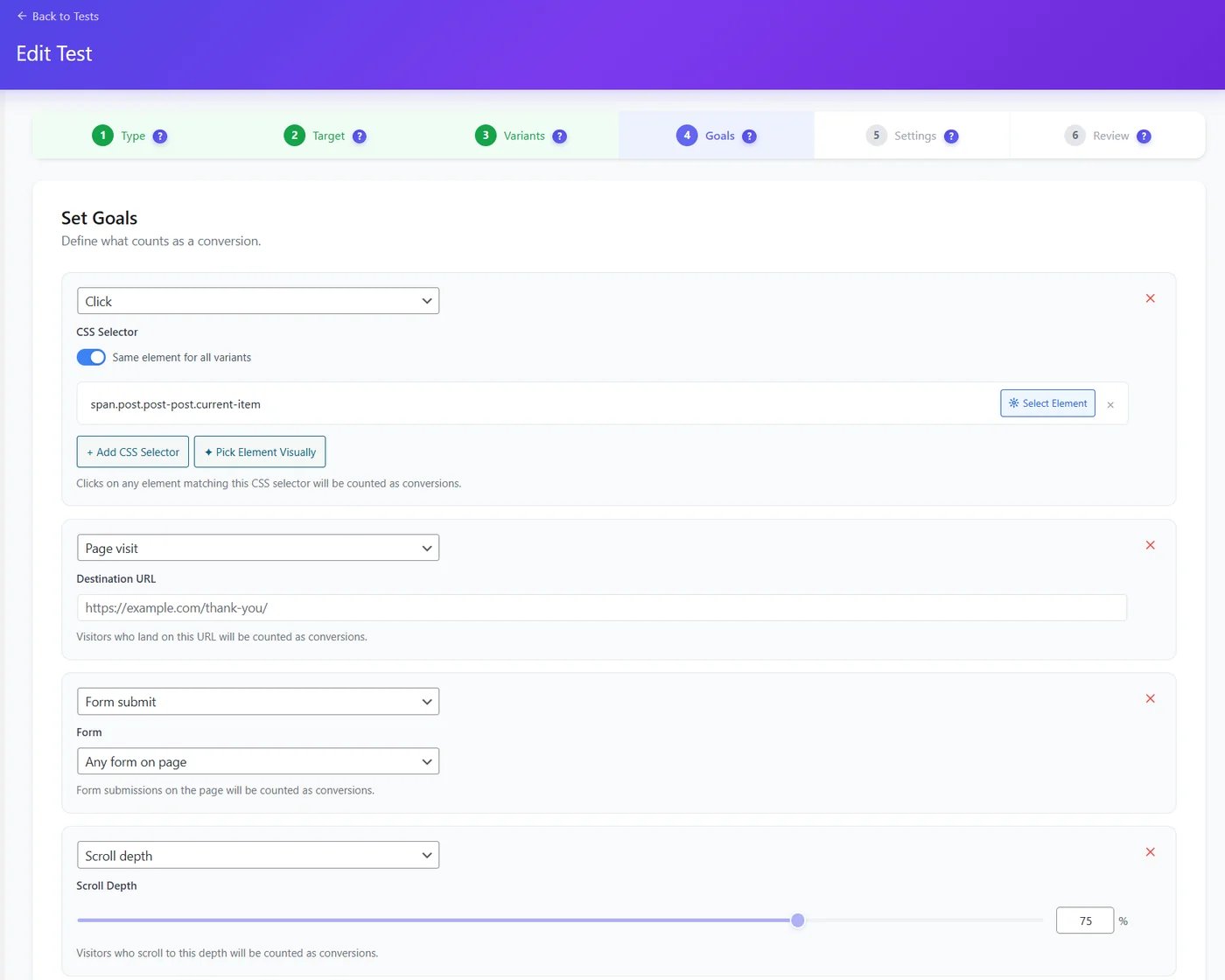
| Goal | Counts a conversion when | Plan |
|---|---|---|
| Page visit | The visitor reaches a URL (thank-you page) | Free |
| Click | The visitor clicks an element matching a CSS selector – pick it visually on the page | Free |
| Form submit | Any form, or a chosen form, on the page is submitted | Free |
| Scroll depth | The visitor scrolls to a depth you set (e.g. 75%) | Pro |
| Time on page | The visit lasts longer than a threshold | Pro |
| Bounce rate | The visit is not a bounce | Pro |
| Revenue | WooCommerce orders attributed to the test (any revenue or a product) | Pro |
| WooCommerce purchase | The visitor buys the test product | Pro |
Tips #
- The first goal is the primary goal: it decides the winner unless you use the decision engine.
- Same element for all variants – untick when the button differs between variants, then pick it per variant.
- Prefer goals close to money (purchase, lead) over engagement goals when you have the traffic.
Expected result #
Each goal shows its own results tab, and the primary goal is marked PRIMARY.
FAQ #
My click goal never converts. #
The selector does not match the element in the variant; use Pick Element Visually.
How many goals? #
The free version runs up to 3 tests at the same time, with up to 3 variants and 3 goals per test.


