
Scheduled reports send a summary of your site to one or more email addresses, daily, weekly or monthly. Scheduled e-mail reports are Free.
The report worker #
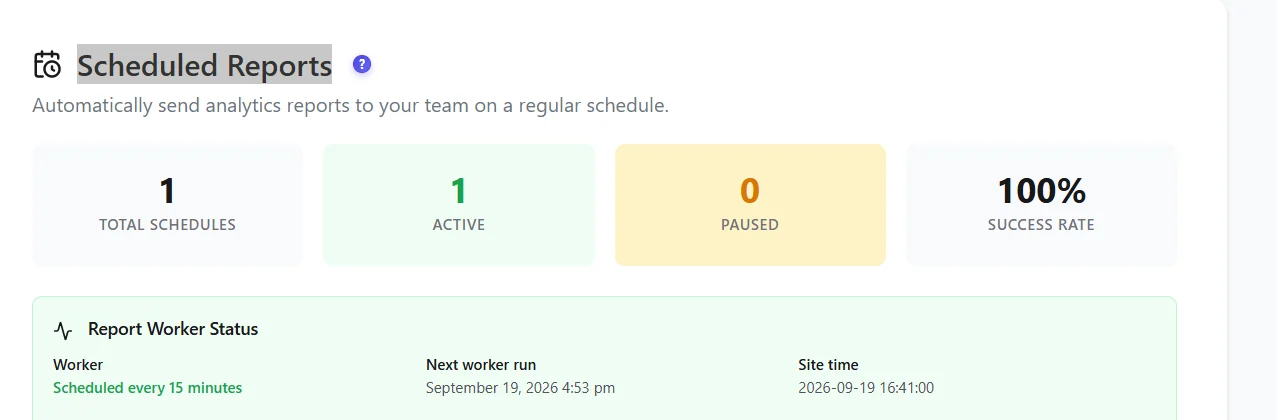
A background worker checks every 15 minutes whether a report is due. It uses WP-Cron, which only runs when someone visits your site. On quiet or cached sites, set a real server cron (and DISABLE_WP_CRON) so reports leave on time.
Email delivery #
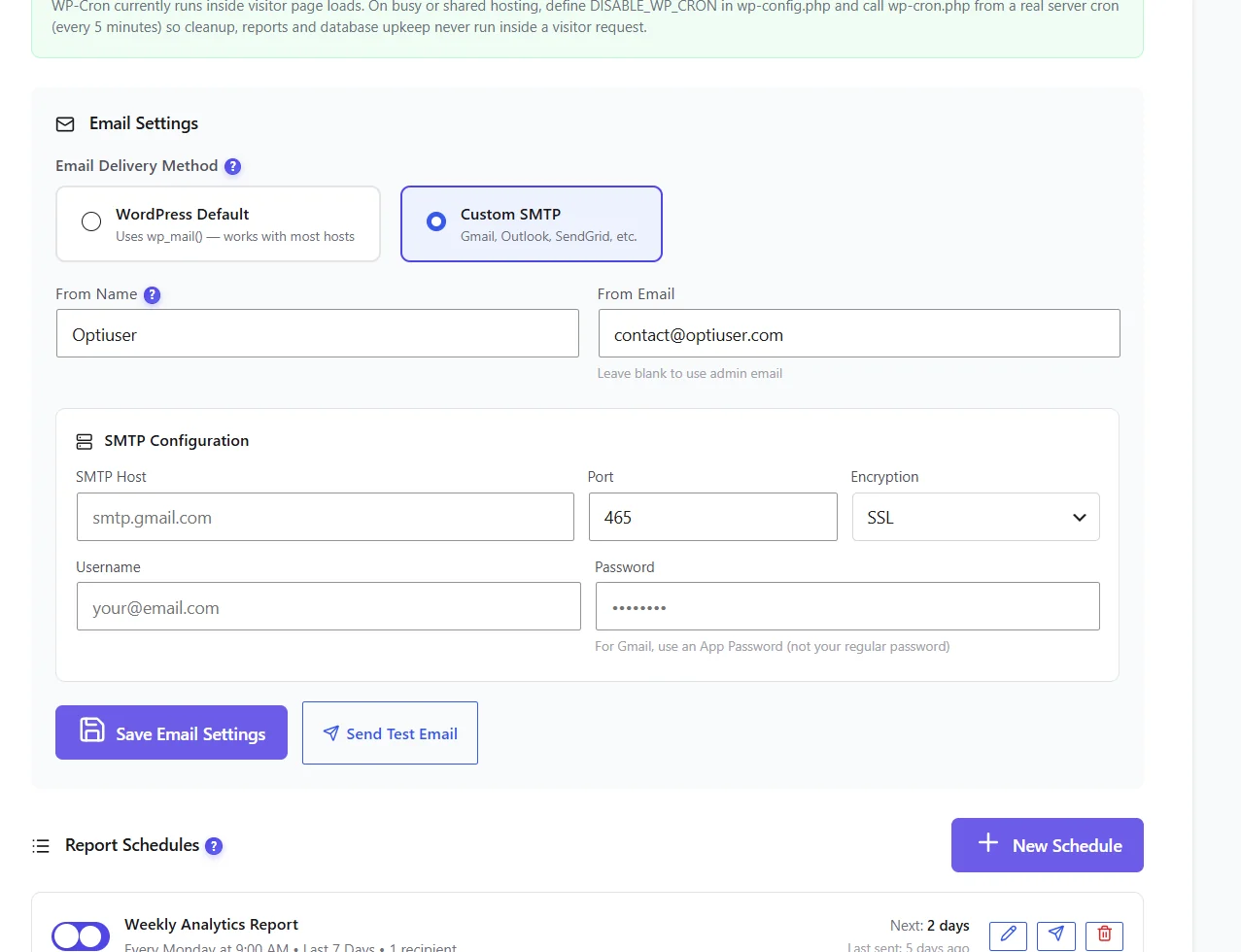
- WordPress Default uses
wp_mail()– fine if your host sends mail reliably or you use an SMTP plugin. - Custom SMTP – host, port, encryption (SSL/TLS), username and password. For Gmail, use an app password, not your normal password.
- Click Send Test Email before creating a schedule.
Create a schedule #
- Click New Schedule.
- Name it, choose daily, weekly or monthly, the day and time.
- Choose the period covered (for example the last 7 days) and the recipients.
- Save. The schedule appears in the list with its next send.
What the e-mail contains #
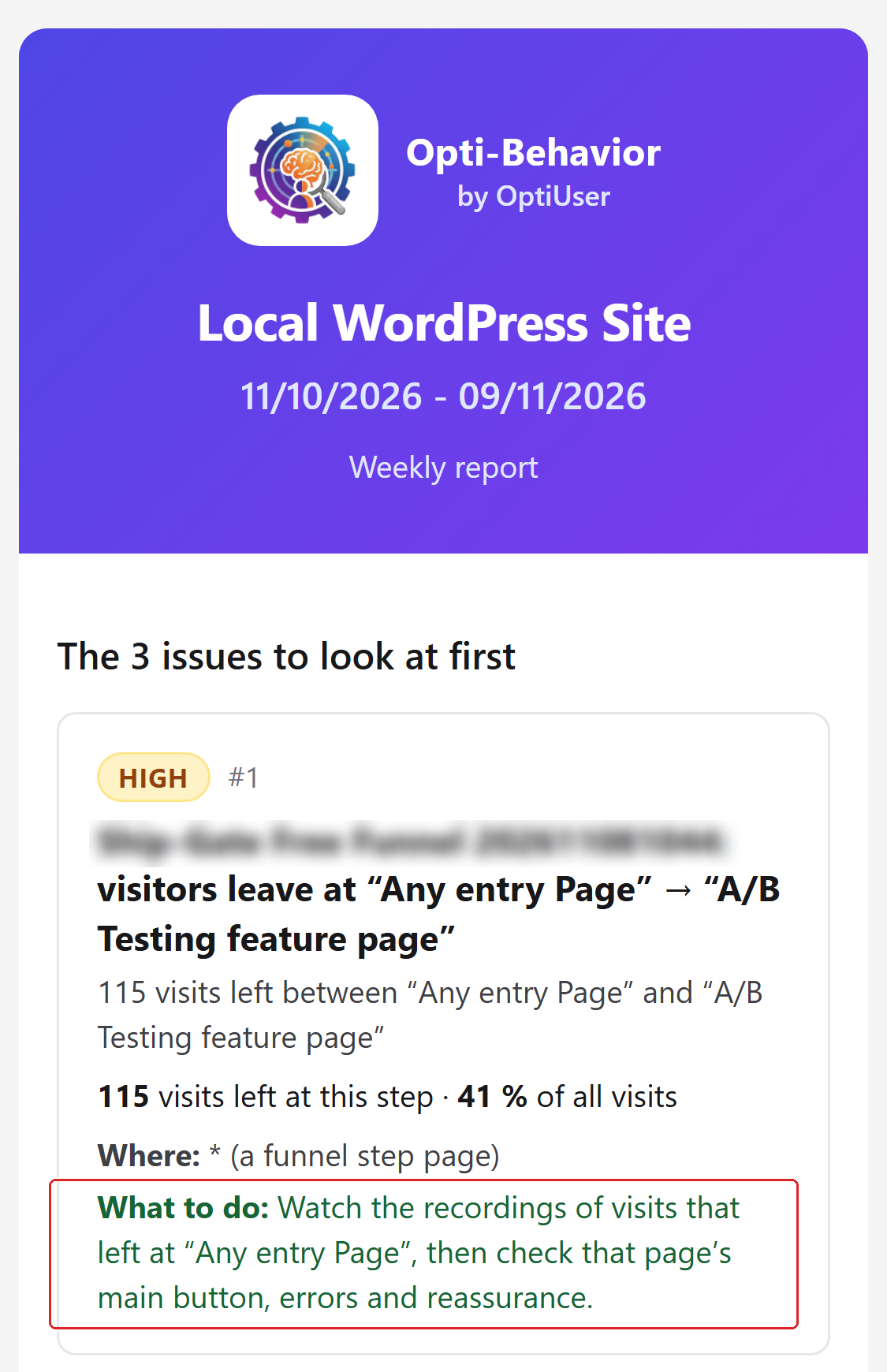
| Block | What it shows |
|---|---|
| Key figures | Visits, page views, time per visit and bounce rate, each with its change against the previous period. |
| The 3 issues to look at first | The three issues of the period that deserve a look first. |
| Top sources | Where your visitors came from. |
| Devices | Desktop, mobile and tablet. |
| Most viewed pages | Your most viewed pages of the period. |
| Most clicked element | The element clicked most, with a link to its heatmap. |
| Shop | WooCommerce sites: up to 3 products losing the most visits. No block when nothing was counted. |
| A/B tests | Your tests and their state. |
Each block ends with a What it means / What to do line. The e-mail is laid out for phones and for dark mode.
All 8 blocks of the e-mail are in the Free plugin. Pro adds the € part of the Shop block (Money at stake).
Need the whole picture on paper? Open the site report and save it as PDF.
Expected result #
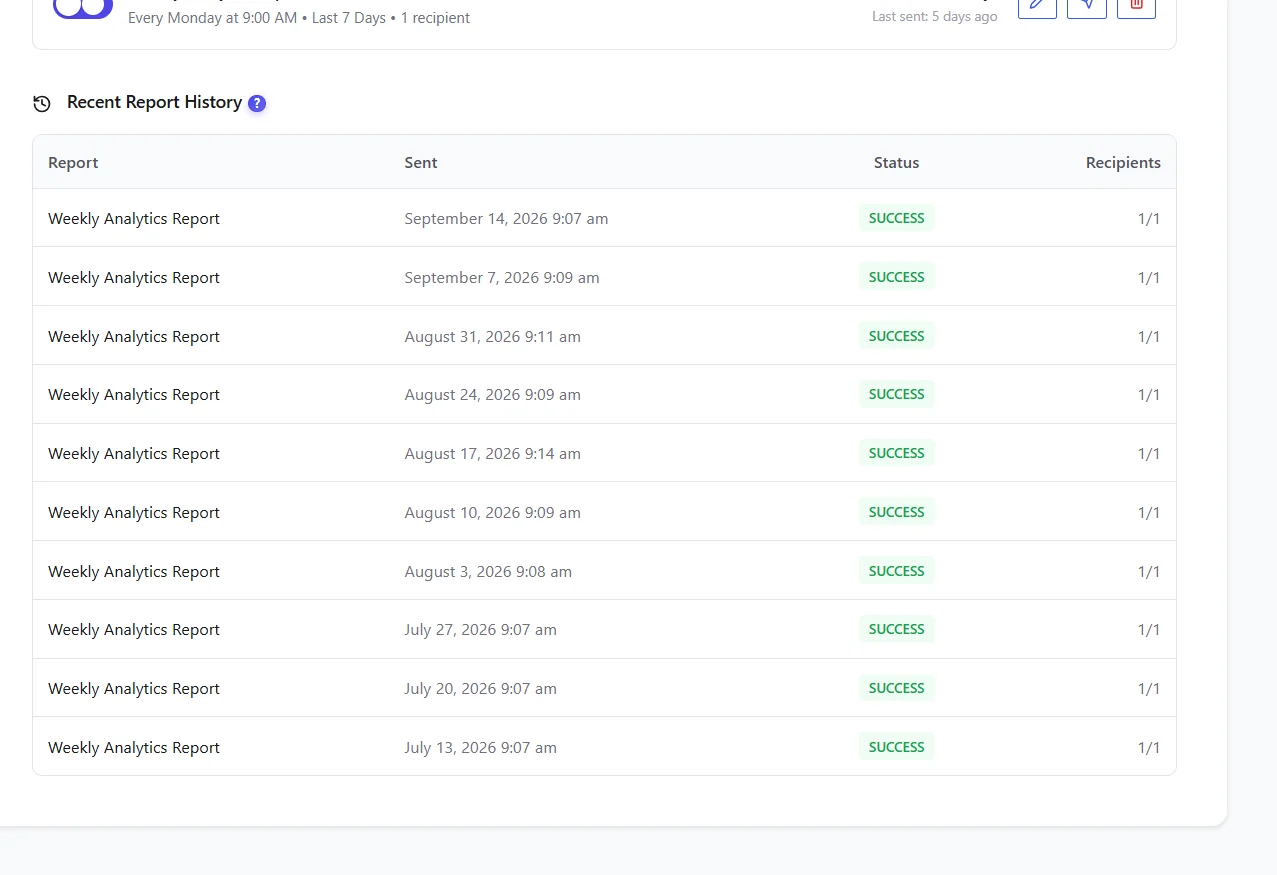
The test email arrives, and each schedule appears in Recent Report History with the status SUCCESS after sending.
FAQ #
The test email never arrives. #
Check spam, then switch to Custom SMTP; many hosts block PHP mail.
Reports leave late. #
WP-Cron depends on visits: set up a server cron.
There is no Shop block in my e-mail. #
The Shop block appears only on WooCommerce sites, and only when shop activity was counted in the period.
Can I send to a client? #
Yes, add any address as recipient.


