
Opti-Behavior → Shop shows, for each WooCommerce product, how many times its product page was viewed, how many times it was added to the cart, how many paid orders contained it, and which products lose the most visits. The counters are Free; estimated lost sales, payment errors and shop events in recordings are Pro.
Before you start #
- WooCommerce is active on your site: the Shop menu appears only on WooCommerce sites.
- Open Opti-Behavior → Shop.
Shop counters (Free) #

- Product page views, adds to cart and paid orders over the chosen period.
- Orders count paid orders only: an order at 0 is left out of the paid figures.
Lost visits per product (Free) #
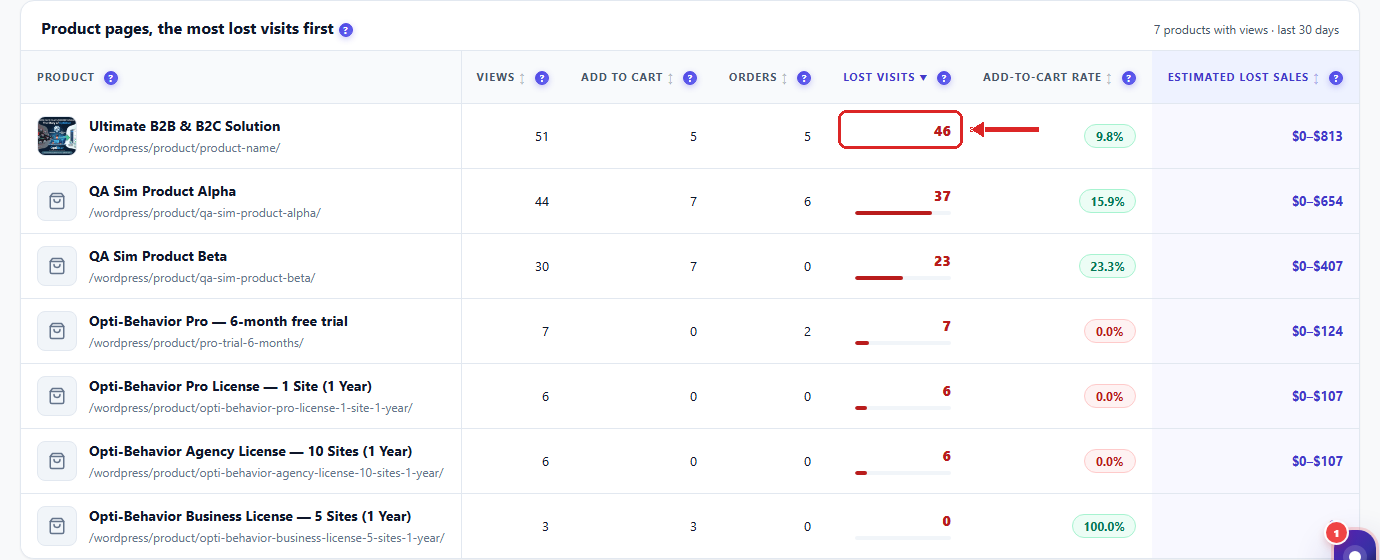
- A lost visit = a visitor who viewed the product but did not add it to the cart.
- Products are listed worst first: start with the top row.
- Not measured means the product was added to the cart from other pages (links or buttons) while its product page had no view in the period.
- A warning line appears when adds to cart look too high compared with views (for example a theme that adds to cart without a product page view): check how the button works before you trust the rate.
Estimated lost sales and payment errors (Pro) #
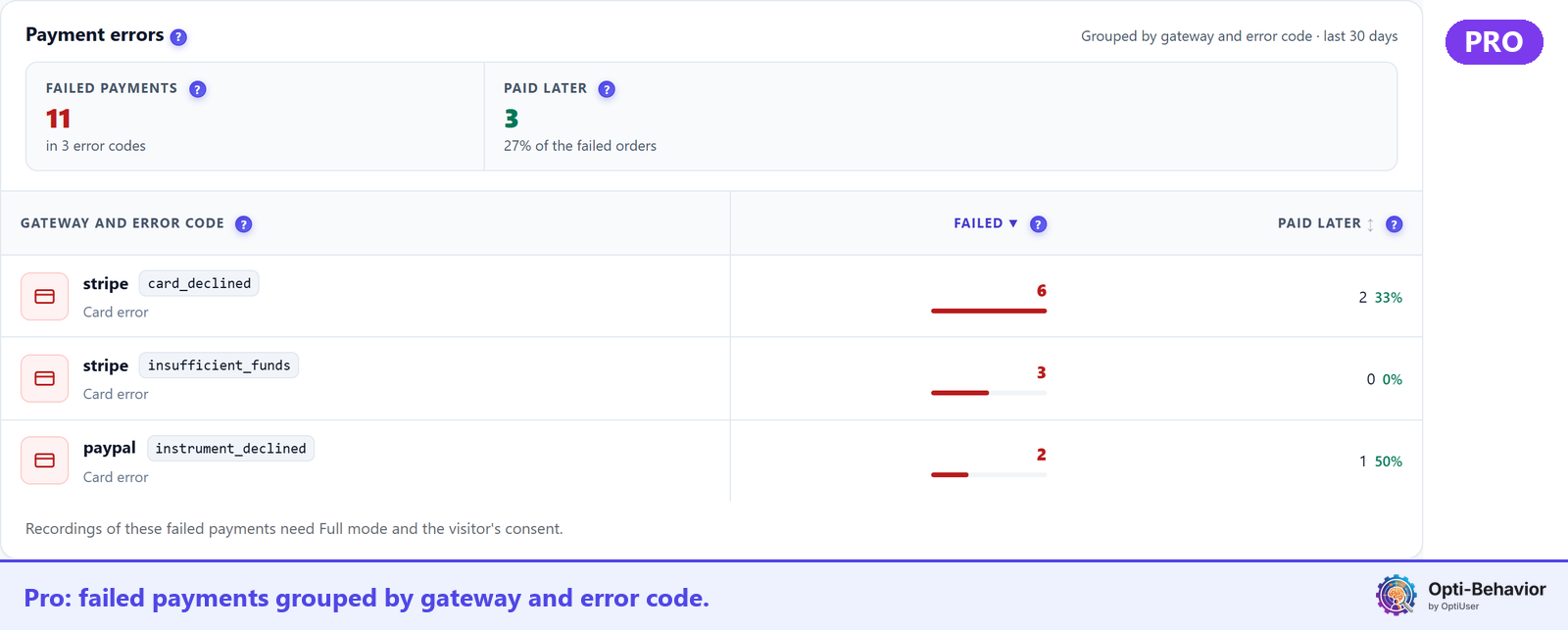
- Estimated lost sales per product: an indicative range, computed from your conversion rate and your average order. It is an estimate, not a measured amount.
- Payment errors by error type and by payment method.
- Shop events in recordings (add to cart, checkout, payment failure): available in Full Tracking mode and only with the visitor’s consent.
What is stored #
The Shop screen stores no order number, no customer name, no e-mail address and no coupon code.
Expected result #
After a few product views, each product shows its views, adds to cart and lost visits, and the product losing the most visits is at the top.
FAQ #
I do not see the Shop menu. #
The menu appears only when WooCommerce is active.
A product shows “Not measured”. #
No product view was counted for it in the period. Widen the period, or check that tracking runs on product pages (cache plugins: see Cache plugin compatibility).
How do I get the Pro part? #
Start the free Pro trial or see the plans on the pricing page.


